STARSTUDIO
Step 1 of 7
What's your full name?
As shown on your ID — we'll need to match for payment.
Please enter your full name (at least 2 characters).
How can we reach you?
We'll use these to confirm your application.
Please enter a valid email address.
Phone number must include country code (e.g. +381).
Enter your Telegram (5+ chars, letters/numbers/underscore). Example: @maria_smith
Where do you live?
Helps us match scheduling and tax compliance.
Must be 18-99.
Please enter your city.
Tell us about your iPhone
We need to know the model, condition, and when you bought it.
Please select your iPhone model.
Please select device status.
Please pick the month/year you bought it.
Phone setup
Tell us about your SIM and carrier.
Please pick your SIM type.
Please enter your mobile provider.
IPQS Verification
This is the most important step. Follow these 4 steps carefully ⬇
⚠️ MOBILE DATA ONLY
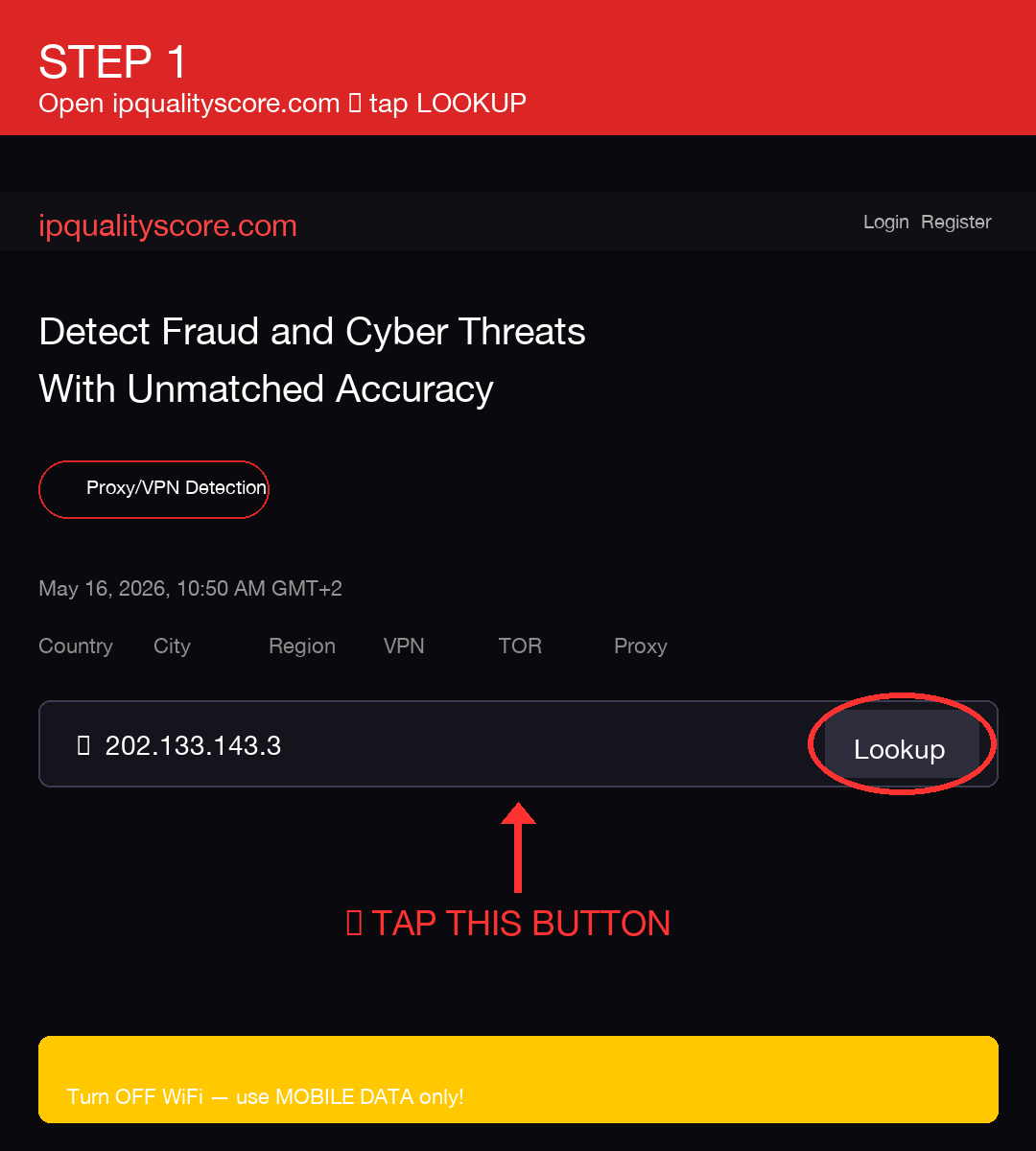
Turn OFF WiFi. Use only your phone's mobile data (4G/5G).
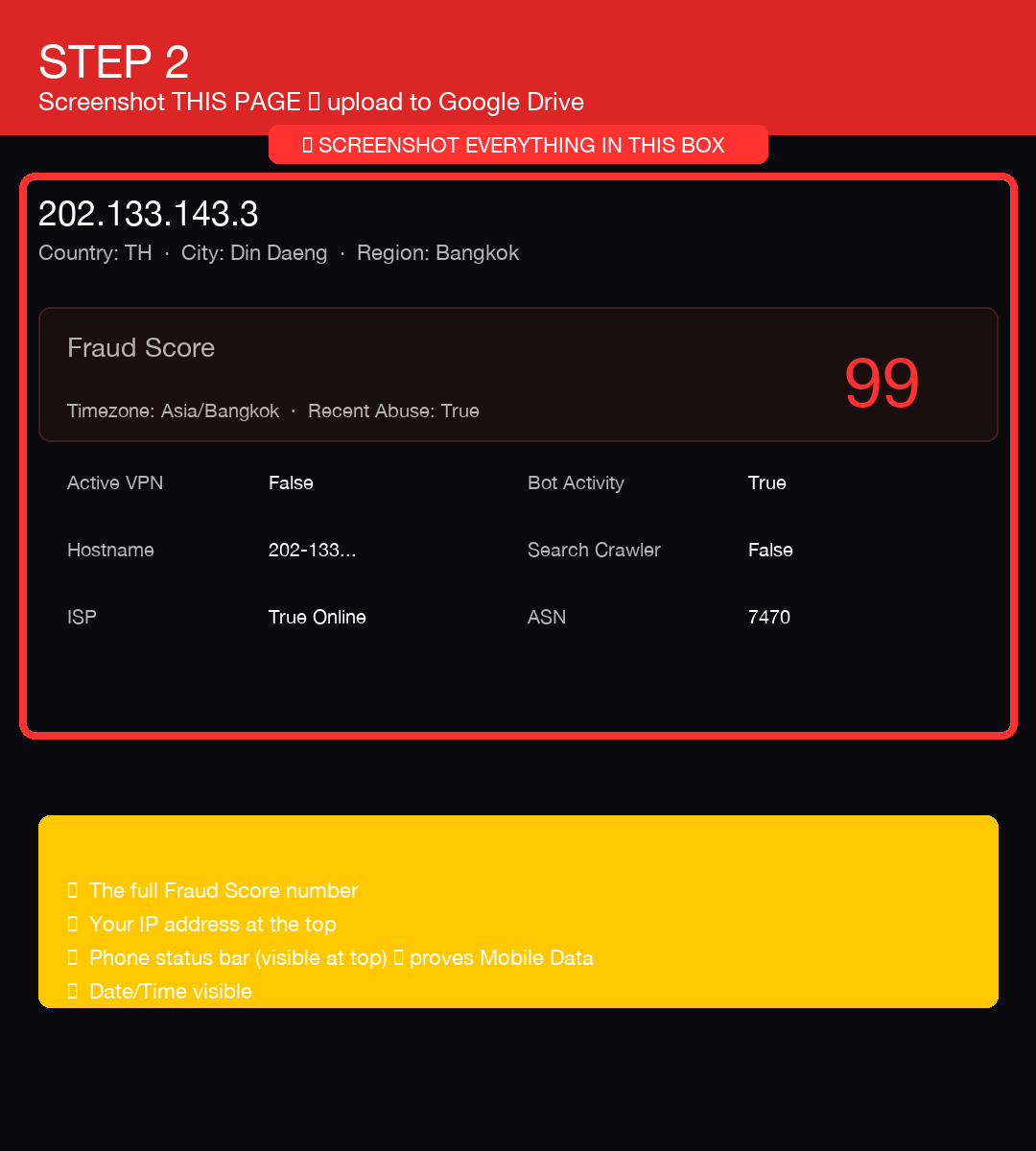
Your screenshot must show the mobile network in the status bar.
Your screenshot must show the mobile network in the status bar.
1️⃣ Open ipqualityscore.com → tap Lookup
2️⃣ Screenshot the full result page
3️⃣ Upload screenshot to Google Drive
- Open Google Drive app on your phone
- Tap + button (bottom right) → Upload
- Pick your IPQS screenshot
- After upload, tap the file once to open it
- Tap ⋮ menu (top right) → Manage access
- Tap "Restricted" → change to "Anyone with the link"
- Set permission to "Viewer"
- Tap "Copy link"
4️⃣ Paste your Google Drive link below
Please paste your Google Drive link.
IG profile-count screenshot
We need proof of how many Instagram accounts are signed in on your iPhone.
1️⃣ Open Instagram on your iPhone
Tap your profile icon (bottom right).
2️⃣ Tap your username at the top
A list opens showing all accounts signed in on this device. Take a screenshot of that list (Power + Volume-Up).
3️⃣ Upload screenshot to Google Drive
- Open Google Drive app
- Tap + → Upload
- Pick the screenshot you just took
- After upload, tap the file once to open it
- Tap ⋮ menu (top right) → Manage access
- Tap "Restricted" → change to "Anyone with the link"
- Set permission to "Viewer"
- Tap "Copy link"
4️⃣ Paste your Google Drive link below
Please paste your Google Drive link.
Device history
Critical for device-trust scoring. Be honest — we cross-check.
Please answer all three questions.
You're in!
Application received. Alex will personally DM you on Telegram within 12 hours using the handle you provided.
Make sure your Telegram is on, and the handle you typed in this form matches your real Telegram username — that's how Alex will find you.
No need to message us — we'll come to you ✌️